
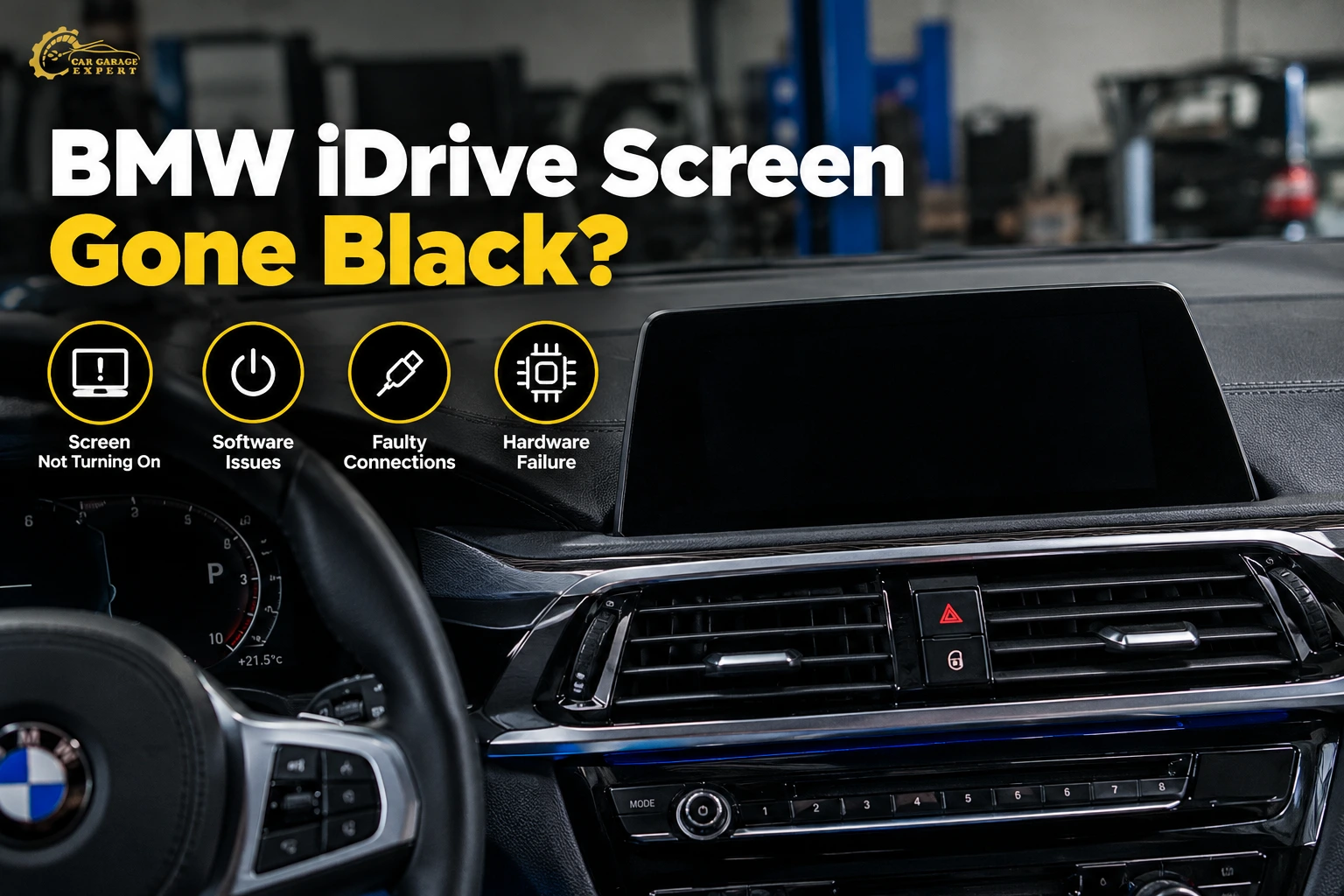
You start your BMW and the center screen stays dark. No map, no reverse camera, no settings. Or it works for ten minutes, freezes on the BMW logo, and restarts on its own. It is one of the most annoying faults a BMW can have, because so much of the car runs through that one screen.
Why Is My BMW iDrive Screen Not Working?
A BMW iDrive screen usually fails because of a software glitch, low battery voltage, or a blown fuse. A loose display cable, a faulty head unit, or a damaged screen can also cause it. Symptoms include a black screen, a frozen display, random restarts, or a touchscreen that does not respond. If the radio still plays but the screen is dark, the display or its cable is the first suspect. If everything is dead, the head unit or its power supply is more likely. A restart fixes many software faults. Electrical and hardware faults need a scan with BMW-compatible tools to find the real cause.
What Are the Common Signs of a BMW iDrive Screen Not Working?
iDrive faults show up in a few clear ways. The sign you see narrows down the cause, so note exactly what happens and when.
BMW iDrive Screen Goes Black or Remains Blank
The screen stays dark when you start the car, or the BMW iDrive screen suddenly goes black while you’re driving. Sometimes the screen shows “No signal” on a dark background. That message means the screen has power but is not getting a picture from the head unit.
BMW iDrive Screen Freezes or Stops Responding
The map stops moving, the controller knob does nothing, and touch inputs are ignored. BMW iDrive screen freezing is often a software problem. It can also happen when the head unit overheats or loses stable power.
BMW iDrive Screen Keeps Restarting
The screen goes black, shows the BMW logo, loads for a while, and then does it again. Some cars get stuck on the BMW logo and never load the menu. A BMW infotainment system rebooting in a loop usually points to a software crash, low voltage, or a failing head unit.
BMW iDrive Screen Flickers or Displays Lines
BMW iDrive screen flickering, coloured lines, or patches of dead pixels usually mean a problem with the display itself or its video cable. If the flicker changes when you press near the screen edge or drive over bumps, you likely have a loose connection.
BMW iDrive Screen Is Blank but Radio Still Works
You can hear the radio and change the volume, but the screen shows nothing. That is a strong clue. The head unit is alive, so the fault is more likely in the screen, its power supply, or the video cable between them.
Symptom Checker: What Your Screen Is Telling You
This table links what you see to the most likely cause and the first thing a workshop checks.
| What You See | Most Likely Cause | First Check |
| Black screen, radio still plays | Display, display fuse or video cable | Fuse and display connector |
| “No signal” on the screen | Video cable or head unit output | Cable from head unit to screen |
| Stuck on BMW logo | Software crash or failed update | Fault codes and software version |
| Restarts every few minutes | Low voltage or head unit fault | Battery test and head unit scan |
| Flickering or lines | Damaged display or loose cable | Cable seating and screen test |
| Touch not responding, knob works | Touch layer fault on the screen | Display diagnostics |
| Everything dead, no sound | Head unit power, fuse or head unit | Fuses and power supply to head unit |
Why Is My BMW iDrive Screen Not Working? Common Causes
Eight causes explain most iDrive screen faults. Some cost nothing to fix. Others need a replacement part and programming.
1. BMW iDrive Software Glitches or System Crashes
iDrive is a computer, and computers crash. A phone that connects badly over Bluetooth or a corrupted USB file can freeze the system. So can a bug in an older software version.
Freezing, sluggish menus or one-off reboots are common indications. A system restart often clears it. If a crash recurs, a technician reads the fault memory and checks the program version. Usually, recurring crashes are fixed with an upgrade or reprogramming.
2. Weak Battery or Low System Voltage
iDrive needs a stable voltage. If the battery is weak, the voltage will drop when the engine is cranked. The head unit may then reboot, freeze, or go dark. BMWs also turn off various features to save electricity when the battery gets low.
Symptoms include a screen that won’t come on on a cold start, multiple warning messages at once, or restarts when the engine starts. A technician checks the battery and charging system. If the battery is weak, the technician replaces it and registers it to the automobile. BMWs need the battery registered so the charging system can learn it.
3. Blown Fuse or Electrical Power Supply Problem
The screen and the head unit each get power through fuses. A blown fuse can kill the screen, the head unit, or both. Water damage, a short after an accessory install, or a failing part can blow a fuse.
A technician checks the fuses using the fuse chart for that model. Replace the blown fuse, but also find the cause. If a fuse blows again, it points to a wiring short or a failing unit.
4. Faulty BMW iDrive Head Unit
The head unit is the brain of iDrive. It runs the maps, media, phone, and settings, and it sends the picture to the screen. On many BMWs, it sits behind the dashboard. On some older models, it is in the boot.
A failing head unit can cause a black screen, constant reboots, no sound, and a total loss of iDrive. A technician checks whether the unit is communicating with the rest of the car on the data network. If it is not, the unit may need repair or replacement.
5. Loose or Damaged Display Cables and Connectors
There is a video cable going from the head unit to the screen. Loose, pinched or damaged connections might cause the screen to flicker, go blank, or show “No signal.” Cable problems during dashboard work, screen replacements or accessory installs are not uncommon.
A technician checks that the cable is seated and tests it for damage. Reseating or replacing the cable is much cheaper than replacing the screen.
6. Damaged BMW Central Information Display (CID)
The CID is the screen itself. A BMW central information display failure can show as a black screen, lines, dead patches, or a touchscreen that ignores you. Physical damage, a cracked screen, or an internal fault can cause it.
If the head unit works and the cable tests fine, the screen is the likely problem. Some screens can be repaired. Many are replaced as a unit.
7. BMW iDrive Software Update or Programming Failure
An update that stops halfway can leave the head unit with damaged software. The car may get stuck on the BMW logo, restart in a loop, or lose features. It can happen if the battery runs low during an over-the-air update or the car is switched off at the wrong time.
A technician checks the software version and the update history. The fix is usually to reprogram the unit with BMW-compatible software tools.
8. Heat-Related Electronic Problems
Electronics do not like high heat. A car parked in the sun can get far hotter inside than the outside air. That heat can dim a screen, slow it down, or shut it down until it cools.
Heat alone doesn’t mean a part has failed. If the screen comes back on after the cabin cools, it may be a heat protection shutdown. If the automobile is cool and the trouble persists, the cause is something else. A technician verifies the trouble codes, tests the equipment at a normal temperature, and blames the heat.
Why Is My BMW iDrive Screen Black but the Radio Still Works?
A blank BMW display with a working radio is one of the most common iDrive complaints. The good news is that the sound tells you the head unit is still running. That narrows the search to the screen and the parts that feed it.
Can the BMW Display Fail While the Head Unit Still Functions?
Yes. The screen and the head unit are separate parts with separate power. The head unit can keep playing the radio, taking calls, and running the maps in the background while the screen stays dark. A failed screen backlight, a blown screen fuse, or an internal display fault can all cause this.
Can a Loose Display Cable Cause a Black Screen?
Yes. If the video cable from the head unit is loose or damaged, the screen won’t show a picture. A BMW iDrive “No signal” message is the classic sign. You may see “No signal”, a brief flash of the picture, or nothing at all. Cable faults often appear after work behind the dashboard, such as fitting a dashcam, an aftermarket CarPlay module, or a new screen.
How Can You Tell Whether the Screen or Head Unit Is Faulty?
A few simple clues help:
- If the screen shows “No signal”, it has power. The problem is the picture coming from the head unit or the cable.
- If the screen shows nothing at all, not even a faint glow, the screen may have lost power or failed.
- If the screen briefly shows the BMW logo then goes dark, the head unit may be crashing during start-up.
- If the knob controller works and you can still hear menu changes, the head unit is responding.
A technician confirms the faulty part with a diagnostic scan and power tests. That matters, because replacing the wrong part is an expensive mistake.
How Can You Fix a BMW iDrive Screen That Is Not Working?
Start with the free checks before paying for parts. Work through these steps in order.
Step 1: Check Whether the BMW iDrive System Is Frozen
Look for signs of life. Turn the controller knob, press the menu button, and try the touchscreen if your car has one. Check if the clock or radio still changes. If the system responds slowly or not at all, it is likely frozen rather than dead.
Step 2: Restart the BMW iDrive System Using the Correct Model-Specific Procedure
The restart method depends on your iDrive type and version. On many BMWs, pressing and holding the audio power button for 10 to 30 seconds turns the head unit back on. This kind of car needs to be turned off, locked, and left to shut down for at least 15 minutes.
Check your owner’s manual or the BMW app for the right method for your car. Do not try random button combinations, since some can reset your settings or start other functions.
Step 3: Check Battery Voltage and Electrical Supply
A weak battery causes many iDrive problems. Watch for other signs, such as slow cranking, battery warnings, or other electronics acting up. If the battery is more than three years old in Dubai, have it tested. A quick test with a meter or battery tester shows if voltage drops too low during start-up.
Step 4: Inspect the Relevant Fuses
For most models, the screen and head unit fuses are in the glovebox, the passenger footwell, or the trunk. Use your car’s fuse chart to find the right ones. A broken wire can cause a fuse to blow. If you replace a fuse and it blows again, stop and have the wiring checked.
Step 5: Check for Software Updates or Known System Issues
Newer BMWs can update over the air. Check the software update section in the car’s settings or the My BMW app. An update may fix a known freezing or reboot bug. Only start an update with a healthy battery. Keep the engine running or the car on a charger so the update does not cut out halfway.
Step 6: Get Professional BMW Diagnostic Testing
If the steps above do not help, the fault needs proper testing. A BMW-compatible scan tool reads fault codes from the head unit, the screen, and the power management system. It also shows whether units are communicating on the car’s network. That test tells the technician whether you need software work, an electrical repair, or a new part.
Before You Book: Three Things Most BMW Owners Forget to Check
Many iDrive faults in Dubai stem from additions made after the car left the factory. Check these before you book a repair. Most guides do not mention them.
Aftermarket CarPlay, Dashcam or Camera Modules
Wireless CarPlay boxes, reverse camera add-ons and hardwired dashcams are very popular in the UAE. Many connect to the head unit, the screen cable, or the fuse box. A poor install can cause flicker, “No signal” messages, a black screen, or a battery drain that triggers reboots. Tell the technician about any add-ons so they can check or unplug them during testing.
Imported or Region-Changed Cars
Some BMWs in Dubai were first sold in the US, Japan, or Europe. Their software and region settings may not match GCC cars. After an update or a coding change, an imported car can lose maps, radio bands, or other features. A technician can check the region and software settings during the scan.
Recent Battery Replacement Without Registration
If you recently changed the battery and the screen started acting up after that, the new battery may not be registered to the car. Without registration, it can’t charge properly in the charging system. Low voltage can also cause iDrive reboots and warning messages.
Why Does My BMW iDrive Screen Stop Working After a Software Update?
Updates are meant to fix bugs, but a failed update can cause a bigger problem than the one it was meant to solve.
Can an Interrupted BMW Software Update Cause a Black Screen?
Yes. If the update stops halfway, the head unit may be left with incomplete software. The car may then show a black screen, get stuck on the BMW logo, or restart in a loop. Low battery voltage during the update and switching the car off too early are the most common reasons.
What Happens When BMW iDrive Programming Fails?
When programming fails, the head unit may not start at all, or it may start with missing features. You might lose the reverse camera view, navigation, phone connection, or vehicle settings. Other control units that rely on the head unit may also store fault codes.
When Is Professional Software Recovery Required?
If a restart and a full sleep cycle do not bring the system back, the unit needs to be reprogrammed. That job needs BMW-compatible programming software, a stable power supply connected to the car, and the right software files for that vehicle. Don’t attempt it at home.
Can Dubai’s Extreme Heat Affect a BMW iDrive Screen?
Heat can contribute to iDrive faults, but it is rarely the only cause. A proper check is needed before blaming the weather.
Can High Cabin Temperatures Affect BMW Display Electronics?
Yes. In a 45°C summer, the inside of a parked car can get much hotter than the outside air. The screen sits in direct sun on the dashboard. Many screens protect themselves by dimming or shutting down when they get too hot. Some drivers see a BMW iDrive screen that turns off while driving on a hot afternoon. If it comes back once the AC cools the cabin, it may be doing exactly that.
Can Heat Contribute to BMW Infotainment System Malfunctions?
Over many summers, heat can speed up wear on screens, solder joints, and connectors. Heat also shortens battery life, and a weak battery causes iDrive faults of its own. So heat can be part of the story. But a screen that stays dead after the car has cooled has a fault that needs testing, not just shade.
How Can You Protect Your BMW Infotainment System From Excessive Heat?
Simple habits help:
- Park in shade or covered parking where you can
- Use a sun shade on the windscreen.
- Start the AC for a few minutes before using the screen after the car has baked in the sun.
- Avoid leaving phones or chargers plugged in and cooking on the dashboard.
How Do Mechanics Diagnose BMW iDrive Screen Problems?
A good diagnosis checks the whole chain: battery, power supply, head unit, cable, and screen. Skipping any step can lead to replacing the wrong part.
BMW-Compatible Diagnostic Scanning and Fault Code Analysis
The technician connects a BMW-compatible scan tool and reads the fault memory of every control unit. Codes from the head unit, the screen, and the power management system show where the fault starts. The scan also shows if a unit is missing from the car’s network, which points to a power or communication problem.
Battery and Charging System Inspection
The technician tests the battery for health, not just voltage. The technician checks the charging system with the engine running. The technician also checks the battery registration history. Low voltage events stored in the car’s memory are a strong clue that the battery is behind the fault.
BMW Head Unit and Display Power Supply Testing
The tech checks the screen and the head unit for power and ground. If the power is off, the fault could be a fuse, relay, or wire. If the unit has power but won’t turn on, the issue is likely the unit itself.
Display Cable and Wiring Inspection
We inspect the video cable and connectors for loose fittings, bent pins and damage. Any aftermarket wire put in beneath the dash is traced and tested. Many “dead screen” troubles end here, with a cable that just needs to be reseated or replaced.
Software Version and Control Unit Communication Checks
The technician compares the software version with the latest available level for that car. Mismatched software between control units can cause crashes and missing features. If the head unit was replaced in the past, the scan also checks that it was coded correctly to the car.
Does a BMW iDrive Screen Need Repair or Replacement?
Many iDrive faults are fixed without new parts. Replacement makes sense only when testing proves a part has failed.
When Can BMW iDrive Software Problems Be Fixed Without Replacing the Screen?
Generally, the hardware is fine if the screen lights up, shows the BMW logo or functions sporadically. You can fix it with a restart or software update, reprogramming, or a battery replacement. These repairs are much cheaper than new parts, so you should try them first.
When Is BMW Head Unit Repair Necessary?
Head unit repair is needed when the unit has power but will not start, keeps crashing after reprogramming, or drops off the car’s network. Some units can be repaired at board level. Others are replaced with a new or refurbished unit.
What Are the Signs That a BMW iDrive Display Needs Replacement?
The screen likely needs replacing if it is cracked or has dead lines or patches. Other signs are no backlight with good power, or touch that fails while the knob still works. Test the head unit and cable first to confirm they’re fine.
Why Is Component Compatibility and Programming Important?
BMW parts are matched to the car. A used head unit or screen from another BMW may not work without coding and programming. Some parts must match the vehicle’s ID. A part that is fitted but not programmed can cause new faults, missing features, or warning messages. Always ask whether programming is included in the quote.
How Long Does BMW iDrive Repair Take?
Repair time depends on what the scan finds. A rough guide:
- Diagnostic scan and power checks: about 1 hour
- Battery replacement and registration: about 30 to 60 minutes
- Fuse or cable repair: 1 to 3 hours, depending on dashboard access
- Software update or reprogramming: 1 to 3 hours
- Screen or head unit replacement with programming: half a day to a full day
Parts may need to be ordered. Head units and screens for less common models can take several days to arrive.
What Happens If You Ignore a Faulty iDrive System?
A small iDrive problem can grow if the cause is electrical. Here is what can happen:
- A weak battery that causes reboots can leave you stranded with a car that will not start.
- A wiring short can blow fuses for other systems.
- A crashing head unit can store faults in other control units.
- You lose the reverse camera, parking views, and vehicle settings.
- The resale value drops if the screen is dead when you sell
Is It Safe to Drive With a BMW iDrive Screen Not Working?
In most cases, you can still drive, but it depends on what you lose with the screen.
Can You Drive a BMW With a Black iDrive Screen?
Yes, in most cases. The engine, brakes, steering, and lights do not depend on the iDrive screen. The instrument cluster behind the steering wheel still shows speed and warnings. Drive with extra care, since you may have lost navigation and some vehicle settings.
What If the Reverse Camera or Vehicle Settings Are Unavailable?
On many BMWs, the reverse camera and parking views only show on the iDrive screen. Without them, reverse slowly and use your mirrors. Some driver assistance and comfort settings may also be out of reach until the screen works.
When Should You Seek Immediate Electrical Diagnosis?
Get the car checked straight away if the screen fault comes with any of these:
- Several warning lights at once
- A battery or charging warning
- A burning smell or a fuse that keeps blowing
- Problems starting the car
- Loss of other systems such as lights or wipers
If the car will not start or shows a charging warning, call roadside assistance rather than risk a traffic breakdown. If the car is parked and safe, a mobile car mechanic can test the battery and charging system on site.
How Can You Prevent BMW iDrive Screen Problems?
You cannot stop every electronic fault, but a few habits lower the risk.
Keep BMW iDrive Software Updated Appropriately.
Install updates when they are offered, but only with a healthy battery and enough time for the update to finish. Do not switch the car off or open the doors during an over-the-air update unless the car asks you to.
Maintain Battery and Charging System Health
In Dubai, car batteries often last only two to three years. Have the battery tested at every service, and replace it before it gets weak. Make sure any new battery is registered to the car. Regular car service packages that include a battery test catch problems early.
Protect the BMW Interior From Excessive Heat
Park in the shade, utilize a sun shade, and let the AC chill the cabin before excessive screen use. Avoid putting phones on the dash where they will increase heat near the screen.
Address Repeated Infotainment Errors Early
A screen that freezes once a month today may fail later. Note when faults happen and how often. Have a trusted car mechanic scan the system at the first sign of repeat problems. Early checks often find a cheap cause before it becomes expensive.
Why Car Garage Expert Is a Smart Choice for BMW iDrive Faults in Dubai
If your iDrive display has gone dark or keeps freezing, Car Garage Expert in Al Quoz is a sensible first stop. The reasons below focus on finding the cause before you spend money on parts.
Diagnosis Before Parts
iDrive errors are easy to misinterpret. A black screen could be a fuse, wire, battery or head unit The initial step should be a scan and power test, not a fresh screen. Don’t authorize any parts until they have explained the trouble codes and test findings to you.
Help Whether the Car Starts or Not
Some iDrive faults come with a weak battery that can leave the car stuck. Car Garage Expert offers workshop repair, mobile mechanic visits, and roadside help. That means a car that will not start can still get a battery test and recovery without you having to coordinate three different companies.
A Central Al Quoz Location
Al Quoz is close to Sheik Zayed Road and Al Khail Road. It is a short drive from Business Bay, Al Barsha, JLT and Downtown. That makes it easy to drop the car off for a diagnosis on a working day.
Electrical Checks Beyond the Screen
iDrive faults are often linked to the battery, charging system, or aftermarket wiring. A full workshop can check all of these in the same visit. Searching for a garage near me for BMW repair? Pick one that checks the whole electrical picture, not just the screen.
Frequently Asked Questions
Why is my BMW iDrive screen suddenly black?
The most common causes are a software crash, low battery voltage, a blown fuse, a loose display cable, or a failed screen. A restart may bring it back. If not, a diagnostic scan can find the cause.
How do I reset my BMW iDrive screen?
On many models, holding the audio power button for about 10 to 30 seconds restarts the system. The method varies by model and iDrive version, so check your owner’s manual first.
Why is my BMW screen not turning on but the radio works?
The head unit is working, so the fault is likely in the screen, its fuse or the video cable. A screen showing “No signal” points to the cable or head unit output.
Can a weak battery cause BMW iDrive screen failure?
Yes. Low voltage can make iDrive freeze, restart, or stay dark. Batteries in Dubai often wear out within two to three years, so a battery test is a good first check.
Why does my BMW iDrive screen keep restarting?
Restarts usually come from a software crash, a failed update, low battery voltage, or a failing head unit. A scan of the fault memory shows which one it is.
Can BMW iDrive software updates fix a frozen screen?
Yes, if a known software bug causes the freezing. An update or reprogramming can fix it. Make sure the battery is healthy before any update.
How much does BMW iDrive screen repair cost in Dubai?
It depends on the cause. A fuse, battery, or software fix costs much less than a new screen or head unit. A diagnosis gives you an exact quote.
Is it safe to drive when my BMW iDrive screen is not working?
Usually, yes, since driving controls don’t depend on the screen. Take care when reversing without the camera. Get it checked quickly if warning lights or starting problems appear, too.
Related Services
These services often go hand in hand with iDrive and electrical faults:
- BMW diagnostic scanning
- Car battery testing and replacement
- Car electrical repair
- Software updates and programming
- Reverse camera and parking sensor repair
- Car service packages
- Mobile car mechanic visits
- Roadside assistance and recovery
- Dashboard trim and car painting work
Get Professional BMW iDrive Screen Diagnosis and Repair in Dubai.
A dark or frozen screen rarely fixes itself for good. Book a diagnostic check with Car Garage Expert in Al Quoz. You will know if the fault is software, electrical, or hardware before you pay for parts.
- WhatsApp: Send a photo or video of the screen
- Location: Find the workshop on Google Maps
Share your BMW model, year, and what the screen is doing. The team can then tell you what the check involves before you arrive.