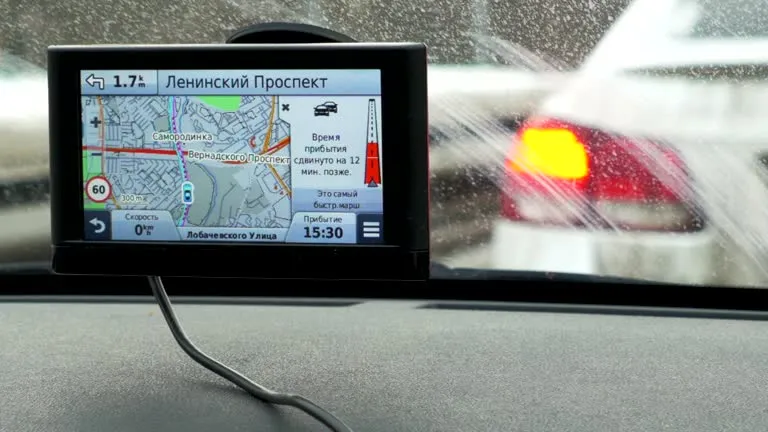
The Mercedes Navigation System is made to make driving easier by using advanced routing, real-time traffic info, voice control, and a seamless connection with the car’s digital system. But, as with any complex technology, the system can sometimes have problems, such as GPS not working correctly, outdated maps, screens freezing, slow responses, or connection issues.
You can save time, stress, and money by learning about these problems and how professional technicians find and fix them. This guide breaks down the most common issues Mercedes drivers have with COMAND, NTG, or the newer MBUX interface. It also shows how experts fix them so that the car is accurate, performs well, and is reliable again.
We’ll talk about specialised shops like Car Garage Expert a lot in this guide. These shops have advanced diagnostic tools and qualified Mercedes mechanics who know how to repair, update, and optimize navigation systems.
Why the Mercedes Navigation System Experiences Issues
It’s important to know why the Mercedes Navigation System has problems in the first place before looking for ways to fix them. Some common reasons are:
- Outdated map data
- The audio unit has software bugs
- A broken GPS radio
- Satellite signal not strong
- Wiring or parts that are broken
- Damage to the firmware
- Water or heat can damage the electronics in the dashboard
- Problems with Bluetooth or phone connection
To ensure fixes are done correctly, professionals use manufacturer-approved software, advanced coding tools, and system-by-system diagnostics to address these problems.
The Most Common Mercedes Navigation System Problems and How Experts Fix Them
Here is a detailed list of the most common problems Mercedes owners have and how well-skilled mechanics can fix them.
1. GPS Showing Incorrect Location or Position Drifting
One of the most common problems is that the guidance shows the wrong place, moves around on the map, or drifts even when the car is still.
Typical Causes:
- A broken GPS radio
- GPS wiring damage
- Not strong satellite reception
- Mistakes in calibration
- Software bugs in the navigation module
How Professionals Fix It:
A trained Mercedes mechanic uses diagnostic tools to ensure that the navigation unit and the GPS antenna can communicate. If the antenna is broken, a new one is sent out. Software changes or re-coding will fix problems that are caused by software. When you get a professional recalibration, you get exact positioning right away.
2. Maps Not Updating or Showing Old Routes
Old maps can give you the wrong advice, leave out streets, and make your route less reliable.
Typical Causes:
- Old versions of software
- The OTA update failed.
- Map files that are broken
- Incompatible update files for USB
How Professionals Fix It:
Professionals use official update tools to install official Mercedes map packages and make sure they work with everything. Workshops like Car Garage Expert also update the head unit’s firmware to ensure that future map changes work well.
Professionals ensure that the Mercedes Navigation System receives the most up-to-date world mapping data, no matter which mode you use (COMAND, NTG, or MBUX).
3. System Freezing, Lagging, or Responding Slowly
Overloading the system can cause navigation to lag or freeze.
Typical Causes:
- Software damage
- Getting old computers’ hard drives to fail
- Head unit with little memory
- There are too many saved destinations or too much cache.
How Professionals Fix It:
A technician clears the cache, does a controlled system reset, and updates the firmware. If parts are breaking, like the storage drive, replacements bring back smooth operation. It is essential to reset the Mercedes Navigation System safely, and only trained professionals know how to do this without losing critical vehicle data.
4. Real-Time Traffic Not Displaying
Digital traffic feeds from radio, mobile data, or connected services are what Mercedes systems depend on.
Typical Causes:
- Problems with data service
- When the subscription ends
- Receiver faults on TMC
- Incorrect system region settings
How Professionals Fix It:
Experts check the digital service subscription state, update the region configuration, and fix traffic receiver issues. In newer MBUX units, technicians sometimes refresh the whole online services module to re-enable real-time traffic.
5. Phone Maps Not Connecting to the Mercedes Screen
Many drivers prefer using Google Maps, Waze, or Apple Maps via Apple CarPlay or Android Auto.
Typical Causes:
- Outdated phone OS
- Faulty USB cable
- Disabled CarPlay/Android Auto setting
- Bluetooth interference
How Professionals Fix It:
Technicians check compatibility settings, reset the system’s Bluetooth module, and update the connection protocols for both the head unit and the phone. They also test USB ports for hardware faults. Enabling phone mirroring ensures a seamless map display via the Mercedes garage near me service.
6. Voice Command Not Recognizing Navigation Instructions
Voice commands are essential for hands-free navigation.
Typical Causes:
- Problems with the microphone
- Bugs in software
- Voice language packs that are too old
- The setting is not set up right
How Professionals Fix It
By resetting the voice system, checking the microphone wiring, and reinstalling the voice recognition modules. With the right changes, the Mercedes Navigation System can correctly understand where you want to go.
7. Navigation Doesn’t Work With COMAND or MBUX Specifics
MBUX connects navigation to many systems, such as voice control, lane assist, and virtual reality.
Typical Causes:
- Firmware not matching
- Update to the MBUX module failed
- Mistakes in screen tuning
How Professionals Fix It:
Technicians use factory tools to reset the MBUX module, ensuring that all its features work correctly together. Refreshing software on purpose can often fix sync problems.
8. Difficulty Updating Maps on MBUX Navigation System
Some owners have trouble with how hard it is to update the maps on later systems.
Typical Causes:
- Not the right USB file
- Not using the right update files
- Updates that were stopped
How Professionals Fix It:
A certified workshop downloads the correct map package for your car’s VIN, ensuring a complete, error-free installation. For the Mercedes Navigation System to always have the most up-to-date roads and infrastructure, this is how it works.
Can Older Mercedes Models Be Upgraded to Newer Navigation Systems?
Many older Mercedes-Benz cars came with early versions of COMAND or simple radio guidance units. These can be upgraded.
Professional Upgrade Options:
- Upgrading to newer COMAND NTG versions
- Installing MBUX-style aftermarket units
- Integrating smartphone mirroring systems
- Getting new screens and control modules
Workshops like Car Garage Expert offer retrofit solutions that modernize older vehicles without compromising aesthetics.
How Experts Set Up a Safe Navigation System: Fix It
A good reset shouldn’t delete essential car data or compromise the security systems.
Steps Professionals Take:
- Check software version
- Backup important code data
- Perform a head unit reset
- Reinstall firmware if needed
- Test all dashboard functions
A trained Mercedes mechanic ensures that the reset resolves any performance issues and maintains all the car’s features.
Post-Repair: Keeping the Mercedes Navigation System Working Smoothly
Here are expert suggestions for maintaining the system after professional repair:
- Update maps annually
- Update your software and avoid cheap cables and adapters.
- Clear old places regularly
- Keep the panel from overheating.
- Use approved Mercedes update tools only.
For long-term reliability, schedule periodic system diagnostics at a trusted Mercedes garage near me, such as Car Garage Expert.
Why Professional Diagnostics Matter
DIY fixes rarely handle deeper problems, such as:
- Damage to modules
- GPS antenna not working
- Messed up data
- Hard drive glitch
- Wiring or fuse problems
Professionals use high-tech tools, such as XENTRY diagnostics, to identify and resolve issues with the Mercedes Navigation System.
If your navigation is slow, incorrect, or outdated, expert help ensures it works safely and reliably.
In conclusion: Trust Professionals to Restore Your Mercedes Navigation System with Precision
The Mercedes Navigation System is an integral part of modern driving because it gives you accurate routes, real-time updates, and seamless integration with your car. If it breaks down, whether it’s because of an incorrect location, old maps, freezing screens, or connectivity issues, the safest and most effective thing to do is to get it fixed by a professional.
Car Garage Expert offers reliable services, including accurate diagnostics, map updates, firmware repairs, voice-command fixes, and complete navigation restoration: qualified Mercedes mechanics, advanced tools, and trustworthy Mercedes roadside assistance back these services. Whether you need quick troubleshooting or complete system reprogramming, their team ensures your navigation system works perfectly, keeping you safe, informed, and confident on every trip.Book your appointment today.